
Table of contents
At Rapido, we’re passionate about colour reproduction. To explore this demanding subject in detail, we’ve decided to let you take part in a new experiment by acquiring a consumer colour printer using an inkjet printing system. Of course, we did this with the same high standards as if we were investing in a professional press.
These machines are capable of producing images of exceptional quality. We have selected only the two suppliers that have established themselves as the benchmarks in inkjet printing: Canon and Epson. Their respective products are reasonably priced. And with a little practice, you’ll get results that are close to those of a good reprographics workshop.
Basics of colorimetry: a few reminders
Discover our series of articles on colorimetry:
As we’ve explained in these articles, just because you buy an Eizo screen or a 12-colour printer doesn’t mean that your production line will automatically be faithful in its colour reproduction. Here are a few ideas to convince you that this subject requires a rigorous approach:
1. Not every piece of equipment, even an Adobe RGB screen or a top-of-the-range printer, is capable of reproducing all the colours visible to the human eye;
2. Your printer will not reproduce the same colour spectrum as your screen. You’ll need to set up a mapping table for all the colours that are outside the space of both;
3. Every piece of equipment, screen or printer generates deviations that need to be corrected by characterisation. Even if some printers contain standard profiles that work very well, as is the case with Canon, you will only be able to understand colour reproduction if you use a good spectrophotometer.
This calibration will enable you to determine the gamut of your screen and that of your printer, so you can check the differences between the desired colours and the colours displayed. The data measured by your probe during calibration will be recorded in an ICC profile, which is the true interpreter of colours between all the equipment you use. This is how you stabilise your production line.
Finally, with all due modesty, we would like to stress that all our advice will never replace your experience. If you encounter any pitfalls, we’re here to discuss them with you. You will inevitably encounter problems and even make mistakes. That’s how you’re likely to learn the most. Don’t be discouraged!
Keep reading, keep learning!
If you’re not yet convinced of the need for this work to acquire a good command of inkjet printing, we recommend that you read Arnaud Frich’s excellent Guide to Colour Management (right-click and select “Translate into English” when browsing his website), in which we found a lot of information that inspired us to write this series of articles.
Alternatively: X-Rite’s Complete Guide to Color Management
There are also many good online training courses. You can certainly find free content on YouTube, but these videos are often talkative and superficial. They are generally designed to sell you something else. In short, they’re advertising! Don’t go without one or even several training courses that are only worth a few dozen dollars. Compared to the money you’re going to invest in materials, ink and paper, you’ll quickly recoup the cost.
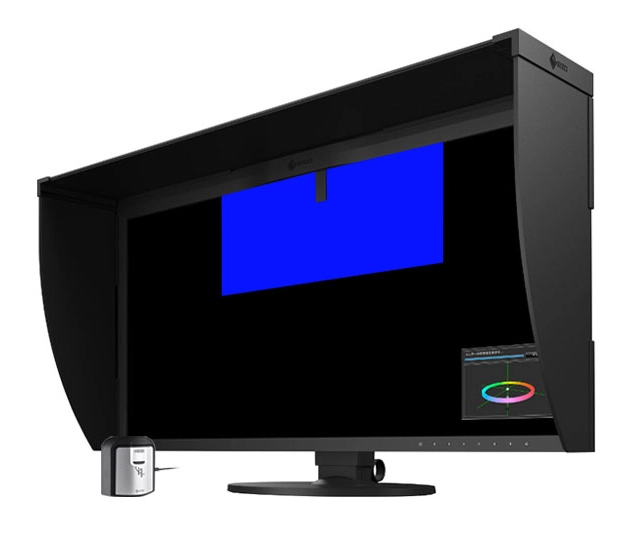
Source : Guide to Colour Management
The golden rule: calibrate… using a spectrophotometer
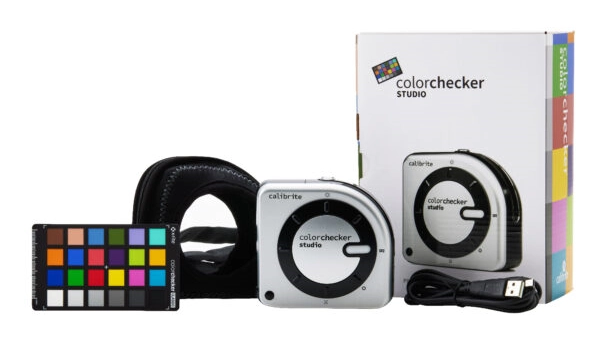
Source : Calibrite
But for other models, and if you want to stay in control of the colour reproduction process – which remains our preferred choice – we recommend that you opt for a device like the Calibrite ColorChecker Studio, which will enable you to measure printed colour ranges and define the exact profile of your printer.
It will cost you around $800 before tax, which isn’t cheap, let’s face it. But this tool will allow you to:
1. Calibrate your screen;
2. Develop ICC profiles for the different printer-paper combinations you will be using. Thanks to the accompanying software, you can also produce a specific profile for B&W with even better results;
3. You can even use the supplied colour chart to calibrate your camera.
We would like to make it clear that we have no interest in the company that supplies this equipment. We are only mentioning it because the profession is unanimous about it. Its performance is very similar to that of the equipment used by museums, which costs several thousand dollars. To find out more, see our next article on how to use and configure this instrument.
We also recommend that you buy a lighting lamp, which is essential for controlling your prints at a standardised light temperature. We talked about this in a previous article. You can choose from the list below, whose prices are much more affordable than viewing stations that cost thousands of dollars and take up a lot of space:
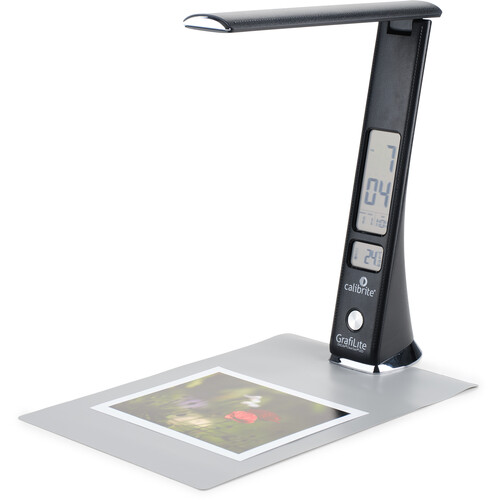
Calibrite GrafiLite 2
(limited to A4 format)
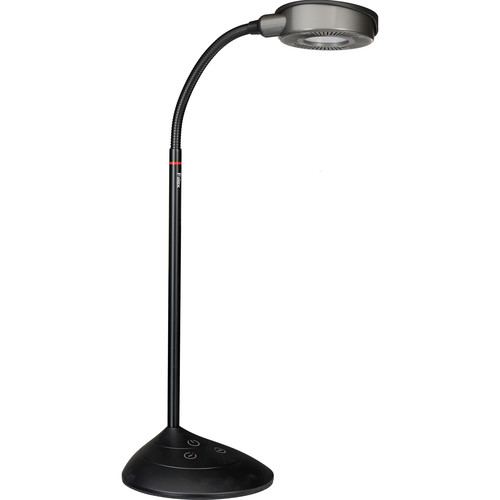
Fiilex V70 LED Color
(for A3 formats)
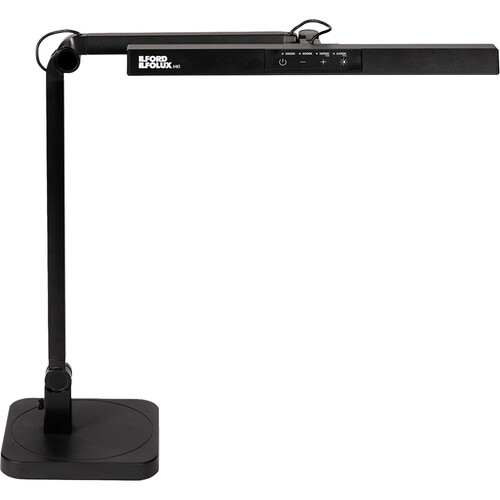
LED Ilford Ilfolux
(hard to find in Canada)
Conclusion
- Carrying out a study to acquire our printer;
- Getting to grips with Calibrite’s Color Checker Studio to calibrate your screen;
- The definition and use of colour gamma;
- Setting up and calibrating the printer with the spectrophotometer;
- Our first tests, as well as a good reflection on the different papers.


